OS: BSD, DOS, Linux, windows, BeOS, Haiku, OS/2, Solaris, ...
Linux: Debian; Slackware, Kheops, Mandrakiva, ...depuis 1996



source et doc https://virtio-fs.gitlab.io/
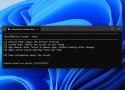
Debloat script pour windows 10 et 11
Vu ici https://mastodon.social/@nixCraft/115486289850117698
Dans le fil:
It works quite well and I got rid of a lot of bloat with it. Windows runs far more efficient now.
All changes can be reversed if necessary. The instructions to do so are on the developers' GitHub page.
If you use the script, read all the prompts carefully. Skip a step when you are unsure of the result it has, or check the GitHub page for more information.
Here is some stuff that I have seen that I know works:
- privacy.sexy
- OFGB
- Ultimate Windows Tweaker
- Tiny11 (by ntdevlabs)


blog à voir, recettes sur sujets très variés

Post exploitation (ie, après impacket-secretdump)
- Secrets in LSASS process.
- Secrets in registry such as LSA secrets.
- DPAPI secrets.
En récupérant le contenu de wikipédia.
Voir aussi la règle 'universelle" pour hashcat
UniGetUI (formerly WingetUI)
Interface GUI d'installation et de gestion de paquets pour Windows pour la majorité des interfaces en ligne de commande existants (winget, scoop, chocolatey, ...)
Privazer. En remplacement de ccleaner. À tester
Des avis https://forum.pcastuces.com/ccleaner_ou_privazer_en_gratuit_-f16s1584.htm
Voir aussi HDcleaner

Par dessus Windows 10 ou 11

Inclus dans certaines distros (pas Debian)
- Script de packaging et liens vers les derniers paquets: https://github.com/virtio-win/virtio-win-pkg-scripts/blob/master/README.md
- qui pointent ici, version stable, latest, et toutes les archives: https://fedorapeople.org/groups/virt/virtio-win/direct-downloads/
- un mode d'emploi https://pve.proxmox.com/wiki/Windows_VirtIO_Drivers#Using_the_ISO
-
Configure boot disk as SATA and start the VM.
-
Open an elevated command prompt and set the VM to boot into safe mode by typing
bcdedit /set "{current}" safeboot minimal -
Shut-down the VM and change the boot device type to virtio.
-
Boot the VM, it will enter in safe mode. Booting into safe mode automatically enables and loads all boot-start drivers will be enabled and loaded, including virtio. Since there is now a miniport installed to use it, the kernel will now make it part of the drivers that are to be loaded on boot.
-
To disable safe mode for the next boot, run in an elevated command prompt:
bcdedit /deletevalue "{current}" safeboot -
Shut down.
-
Reconfigure the boot disk to virtio and start the VM.
Autre source https://kifarunix.com/change-windows-boot-device-from-ide-to-virtio-on-kvm/
